Modern car diagnostics have moved far beyond the simple code reader. Today’s best OBD2 Bluetooth adapters connect your smartphone to your vehicle’s computer, offering deep insights into performance, health, and potential issues. For DIY enthusiasts and everyday drivers alike, these tools demystify the check engine light and provide professional-level data, saving time and money on repairs. Choosing the right one depends on your needs, from basic code reading to advanced bi-directional controls and specialized resets.
This roundup for 2025 highlights ten top-tier Bluetooth OBD2 scanners. We’ve evaluated them on features like compatibility, special functions, app quality, and update policies. Whether you’re a seasoned gearhead or just want to understand why your dashboard warning lit up, one of these adapters will be the perfect copilot for your vehicle.
Our Top Picks for OBD2 Bluetooth Adapters
- TOPDON TopScan Lite OBD2 Scanner Bluetooth
- XTOOL Advancer AD20 Pro Wireless OBD2 Scanner
- BlueDriver Bluetooth Pro OBDII Scan Tool
- for Android Phones ONLY – Wireless Bluetooth Diagnostic OBD2 Scanner
- Veepeak OBDCheck BLE Bluetooth OBD II Scanner
- AUTOPHIX 3210 OBD2 Scanner Bluetooth
- Veepeak OBDCheck BLE+ Bluetooth OBD II Scanner
- FIXD Bluetooth OBD2 Scanner for Car
- Vgate iCar Pro Bluetooth 4.0 OBD2 Fault Code Reader
- BAFX Products Bluetooth OBD2 Scanner
TOPDON TopScan Lite OBD2 Scanner Bluetooth

For users seeking advanced interaction with their vehicle, the TOPDON TopScan Lite stands out with its bi-directional control. This feature allows you to send commands to the car’s ECU to test components like the A/C clutch or windows, actively helping to pinpoint faults. It goes beyond standard code reading to offer a more hands-on diagnostic approach.
The tool provides full system diagnostics and includes over eight popular reset functions, such as Oil Reset, EPB Reset, and DPF Regeneration. These specialized services can save significant repair costs. It’s important to note that after the first free year, continued access to certain advanced features requires a subscription, making it a good fit for those who need periodic professional-grade tools.
XTOOL Advancer AD20 Pro Wireless OBD2 Scanner

The XTOOL AD20 Pro is a strong contender for its commitment to long-term value with free lifetime software updates and no subscription fees. This one-time purchase model grants unlimited access to its full suite of diagnostics and reset tools, which is a major advantage for DIYers who want a reliable tool without recurring costs.
It features an intelligent fault code reading system with one-click search for detailed error information and clear repair instructions. The stable Bluetooth 5.0 connection offers a reliable link to your smartphone from a distance. This scanner is designed to be a comprehensive, cost-effective solution for home mechanics working on 1996 and newer vehicles.
BlueDriver Bluetooth Pro OBDII Scan Tool

BlueDriver has earned a reputation as a professional-grade tool accessible to consumers. It provides enhanced diagnostics, allowing you to read and clear not just engine codes but also ABS, SRS, and TPMS codes on most 1996 and newer vehicles. This broader system access is typically found in much more expensive scanners.
What sets BlueDriver apart is its detailed repair reports, which provide possible causes and fixes sourced from a large database. Coupled with the ability to view and graph live data, this tool helps you understand the context of a fault. Like the XTOOL, it operates with no subscription fee, making it a powerful permanent addition to your toolbox.
for Android Phones ONLY – Wireless Bluetooth Diagnostic OBD2 Scanner

This adapter is a classic, low-cost entry point into vehicle diagnostics, specifically for Android users. As an ELM327-compatible device, it performs all standard OBD2 functions like reading/clearing the check engine light, checking readiness monitors, and displaying live sensor data. Its simplicity is its main strength.
It requires a third-party app from the Google Play Store, such as Torque Pro or Piston, to function. This setup offers great flexibility, as you can choose an app with the specific features and interface you prefer. It’s an excellent choice for those who need basic code reading and data display without advanced brand-specific functions.
Veepeak OBDCheck BLE Bluetooth OBD II Scanner

The Veepeak OBDCheck BLE is a reliable and versatile adapter compatible with both iOS and Android devices. It uses Bluetooth Low Energy (BLE), which is efficient and doesn’t interfere with other Bluetooth connections. For iOS users, it connects directly within the supported app, not through the phone’s settings, which is a standard and stable method.
It covers all generic OBD2 protocols for 1996 and newer vehicles, handling code reading, clearing, and live data. Veepeak is known for its good build quality and clear compatibility guidelines. This scanner is a solid, no-fuss option for users who want a dependable connection for essential diagnostics across different phone platforms.
AUTOPHIX 3210 OBD2 Scanner Bluetooth

The AUTOPHIX 3210 offers strong performance tracking features alongside standard diagnostics. It allows you to monitor real-time data and perform tests that measure acceleration, braking, and distance. The trip monitoring function analyzes driving habits, tracking hard braking, idle time, and average speed.
This scanner provides broad vehicle compatibility and includes useful features like built-in alerts for speed and coolant temperature. It operates with no subscription fee, making its advanced performance metrics accessible for free. For the driver interested in both vehicle health and personal driving metrics, the AUTOPHIX 3210 is a compelling choice.
Veepeak OBDCheck BLE+ Bluetooth OBD II Scanner

The Veepeak BLE+ is an enhanced version of the popular OBDCheck model, maintaining cross-platform compatibility for iOS and Android. It supports generic OBD2 diagnostics and is known for its reliable connection and low power consumption. Its design focuses on doing the core functions well.
A key benefit of this model is its wide compatibility with specialized third-party apps like BimmerCode, BimmerLink, and Dr. Prius. This makes it a favorite among owners of specific vehicle brands (like BMW) or types (like hybrids) who use these dedicated apps for coding or advanced monitoring, beyond simple code reading.
FIXD Bluetooth OBD2 Scanner for Car
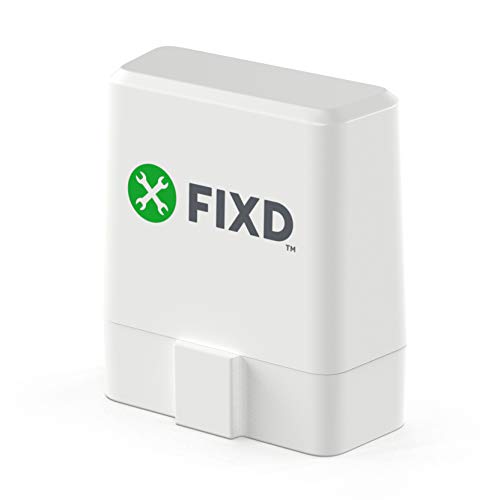
FIXD is designed for simplicity and consumer education. The adapter pairs with a user-friendly app that translates complex trouble codes into plain English explanations. Its goal is to help you understand what’s wrong with your car and provide estimated repair costs before you visit a mechanic.
The system includes a free trial of FIXD Premium, which offers access to advice from mechanics and more detailed estimates. The basic app still provides code reading and maintenance reminders. This product is ideal for those who are less technically inclined and want a straightforward, guidance-focused diagnostic experience.
Vgate iCar Pro Bluetooth 4.0 OBD2 Fault Code Reader

The Vgate iCar Pro is a compact and efficient BLE scanner known for its simplicity and reliability. It connects easily with iOS and Android devices, using very little power, which prevents draining your car’s battery. For iOS users, the connection is made exclusively within your chosen app.
It performs standard OBD2 functions effectively and is a trusted model in the community for basic diagnostics. The manufacturer provides clear compatibility guidelines, noting it is for 12V vehicles only. It’s a good, minimalistic hardware solution that gets the job done without extra complexity.
BAFX Products Bluetooth OBD2 Scanner
BAFX offers a well-regarded, straightforward OBD2 adapter that has been a reliable choice for years. It is primarily designed for Android use (though may work with some third-party iOS apps) and provides all the standard OBD2 diagnostic functions. Its durability and consistent performance have made it a popular budget-friendly option.
Like other basic adapters, it requires a third-party app such as Torque to operate. It’s an excellent tool for users who want a no-nonsense device for reading codes, viewing live data, and monitoring vehicle sensors. The brand’s longstanding presence gives users confidence in the product’s utility and support.
Buying Guide: How to Choose the Best OBD2 Bluetooth Adapter for 2025
So you’re looking at the list of the 10 best OBD2 Bluetooth adapters for 2025 and wondering how to pick the right one for your car and your phone. I get it, the options can be overwhelming. Let me break down what actually matters when you’re shopping for one of these little gadgets. First, think about compatibility. This is a two-part check: your car and your phone. Most adapters work with all OBD2 vehicles (that’s basically everything made from 1996 onward in the US), but some advanced features, like reading manufacturer-specific codes for transmission or ABS, might require a more capable chipset. For your phone, check if the adapter is for Android (usually uses Bluetooth) or iOS (requires a Wi-Fi-based adapter, as Apple restricts Bluetooth OBD access). Getting this wrong is the most common mistake.
Next, consider what you want to do with it. Are you just pulling check engine codes to save a trip to the mechanic? Almost any cheap adapter will do. But if you want to monitor live data like real-time fuel trim, sensor voltages, or even performance metrics, you need an adapter that supports faster refresh rates and the right protocols. The ELM327 chipset is the industry standard, but look for version numbers like ELM327 v2.1 or higher for better reliability—many super cheap clones are buggy and drop connection.
Then there’s the app. The adapter is just hardware; the software on your phone does all the work. Some adapters come with their own basic app, but the magic happens with third-party apps like Torque Pro (Android) or OBD Fusion (iOS/Android). Check if the adapter you like is compatible with these powerful apps. Also, look at the physical design. A low-profile adapter that sits flush in your port is best if you leave it plugged in, so you don’t bang your knee on it. For a 2025 buyer, I’d also consider future-proofing. As cars get more complex, an adapter that can handle a wider range of protocols (like CAN bus) is a smart buy.
Finally, don’t ignore power management. A good adapter should go to sleep when your car is off to avoid draining the battery. I’ve heard stories of people coming back from a two-week vacation to a dead battery because their adapter was a constant power vampire. Read reviews specifically about battery drain. By focusing on these key areas—compatibility, your intended use, app support, design, and power safety—you can easily narrow down that list of ten and find the perfect tool for your glovebox.
Frequently Asked Questions
Will an OBD2 Bluetooth adapter drain my car battery?
This is a very common concern. The short answer is: a good one shouldn’t, but a cheap, poorly designed one might. Quality adapters are built with sleep modes or circuits that cut power completely when the ignition is off and the engine isn’t running. They only wake up when they detect activity from the car’s computer. However, some ultra-budget models lack this feature and draw a small amount of power continuously, which over weeks of parking could drain your battery. It’s a key feature to check in product reviews. If you’re paranoid, it’s always safe to simply unplug the adapter when you’re not using it, especially before long periods of parking.
Are these adapters compatible with all cars?
They are compatible with all gasoline-powered cars and light trucks sold in the United States from model year 1996 and newer, and for diesels from 2008 and newer. This is the OBD2 standard. However, “compatible” can mean different things. Basic code reading and generic live data (like engine RPM) will work on virtually all of these vehicles. To access manufacturer-specific codes and data modules (like airbags, advanced transmission, or hybrid battery info), you need an adapter that supports more protocols, and you’ll need a professional-grade app. European and Asian cars follow similar but not identical standards, so checking the adapter’s specific protocol support is wise.
What’s the difference between Bluetooth and Wi-Fi OBD2 adapters?
The main difference is the device you want to connect to. For Android smartphones and tablets, you can use either type, but Bluetooth is generally preferred as it’s simpler and doesn’t require you to switch your phone’s Wi-Fi network. For iOS devices (iPhone, iPad), you must use a Wi-Fi OBD2 adapter. This is because Apple’s operating system restricts access to the serial port profile needed for Bluetooth OBD communication. The Wi-Fi adapter creates its own small network that your iPhone joins. When looking at our review of the 10 best OBD2 Bluetooth adapters for 2025, note that some kits might include a Wi-Fi option specifically for Apple users.
Can I use one adapter with multiple apps on my phone?
Absolutely. The adapter is just a data pipe. Once it’s paired to your phone via Bluetooth or connected via Wi-Fi, any app on your phone that has OBD2 functionality can try to use it. You can use a free app like Torque Lite for quick code scans, and then switch to a paid app like OBD Fusion for deeper diagnostics and dashboard setups. The same physical adapter feeds data to both. You usually can’t be connected with two apps simultaneously, but switching between them is no problem.
Is it safe to leave the adapter plugged in while driving?
Yes, it is generally safe from a vehicle operation standpoint. The OBD2 port is designed for diagnostic tools to be connected while the engine is running. The adapter just reads data; it doesn’t send commands that would interfere with normal operation. The physical safety is the bigger consideration. A bulky adapter sticking out below your steering wheel could get bumped by your knees. That’s why low-profile designs are popular for permanent installation. Just ensure it’s secure and doesn’t obstruct your driving.